There is a funny thing happening with AI right now.
Almost every business owner I speak to has tried it.
Someone is using ChatGPT.
Someone is generating content.
Someone has built a chatbot.
Someone is testing an AI meeting note tool.
But then you ask a simple question:
“What part of your business is actually running better because of AI?”
And suddenly the answer gets less clear.
That's the problem.
The difficult part is no longer finding an AI tool.
There are thousands of them.
The difficult part is figuring out where AI should actually fit into your business.
And in 2026, that is becoming the more important conversation. Businesses are moving beyond basic experimentation toward more connected AI workflows, but data readiness, integration and trust are still major obstacles.
So let's keep this practical.
No complicated AI terminology.
No “AI will revolutionize everything” speech.
Just how a real business can start using AI properly.
First, stop asking “Where can we add AI?”
This is probably the biggest mistake.
A company says:
“We need AI.”
Okay.
But why?
What problem are we solving?
A better starting point is:
“Where are our people spending time doing repetitive work?”
Then look for things like:
- replying to the same questions
- manually entering leads
- following up with prospects
- moving information between systems
- preparing repetitive reports
- checking documents
- scheduling appointments
- updating CRM records
- handling basic customer calls
- searching through internal information
Those are much better places to start.
The real AI opportunity is usually hidden inside your workflow
Imagine this simple process:
Website enquiry
↓
Salesperson reads it
↓
Salesperson decides if it's a good lead
↓
Salesperson enters it into CRM
↓
Salesperson sends WhatsApp message
↓
Salesperson follows up later
↓
Salesperson updates status
There's nothing particularly exciting about this process.
But it's exactly the kind of process where AI and automation can save a lot of manual work.
You could turn it into:
Website enquiry
↓
AI understands the enquiry
↓
AI qualifies the lead
↓
CRM automatically updated
↓
WhatsApp follow-up triggered
↓
Salesperson receives a qualified lead
The important thing isn't that we added AI.
The important thing is:
The sales team now spends more time talking to good prospects and less time doing admin.
That's the difference between an AI demo and an AI business system.
AI alone is not automation
This is worth understanding.
You can give an employee ChatGPT and say:
“Use this to qualify leads.”
That's AI.
But the employee still has to:
copy the enquiry
paste it into ChatGPT
read the answer
open the CRM
enter the details
open WhatsApp
write the message
set a reminder
That's still a manual process.
Real automation looks more like:
Lead arrives
↓
AI processes it
↓
Rules are applied
↓
CRM is updated
↓
Message is sent
↓
Human gets involved only when needed
Now you've actually changed the workflow.
What does a real AI automation system contain?
Usually, more than an AI model.
A useful system might contain:
AI model
Business rules
Your data
APIs
CRM / ERP
Database
Notifications
Human approval
Monitoring
The AI is only one part.
This is also why simply buying another AI subscription rarely solves a company's automation problem.
The value comes from connecting the pieces.
Example: lead generation
Let's say you run a B2B company.
Every day you receive enquiries from:
Website
Phone
Some are good.
Some are bad.
Some are duplicates.
Some are missing important information.
Some never receive a follow-up.
Here's where AI can help.
Step 1
AI reads the enquiry.
Step 2
It identifies:
company
requirement
budget
location
urgency
product/service
Step 3
It scores the lead.
Step 4
The system creates or updates the CRM record.
Step 5
A relevant follow-up is sent.
Step 6
A salesperson gets the lead if human involvement is needed.
Now imagine this happening automatically for hundreds of enquiries.
That's a much more interesting business case than:
“We have an AI chatbot on our website.”
Example: customer support
You don't necessarily need AI to replace your support team.
In fact, you probably shouldn't try to.
Start with repetitive questions.
For example:
“Where is my order?”
“What are your opening hours?”
“Can I reschedule?”
“What documents do I need?”
“How do I reset my password?”
AI handles the simple requests.
If the conversation becomes complicated:
AI → Human
That's usually a much more sensible starting point.
Example: WhatsApp
This is particularly useful for businesses that already depend heavily on WhatsApp.
A customer sends:
“I need 500 pieces of this product. Can you deliver to Mumbai next week?”
Instead of a salesperson manually asking ten questions, AI can collect the important details.
Then:
AI → CRM → Salesperson
The salesperson sees something like:
Qualified enquiry
Product: XYZ Quantity: 500 Location: Mumbai Required: Next week Lead score: High
That's useful.
And the business doesn't need to change everything it already uses.
This is where integration becomes important
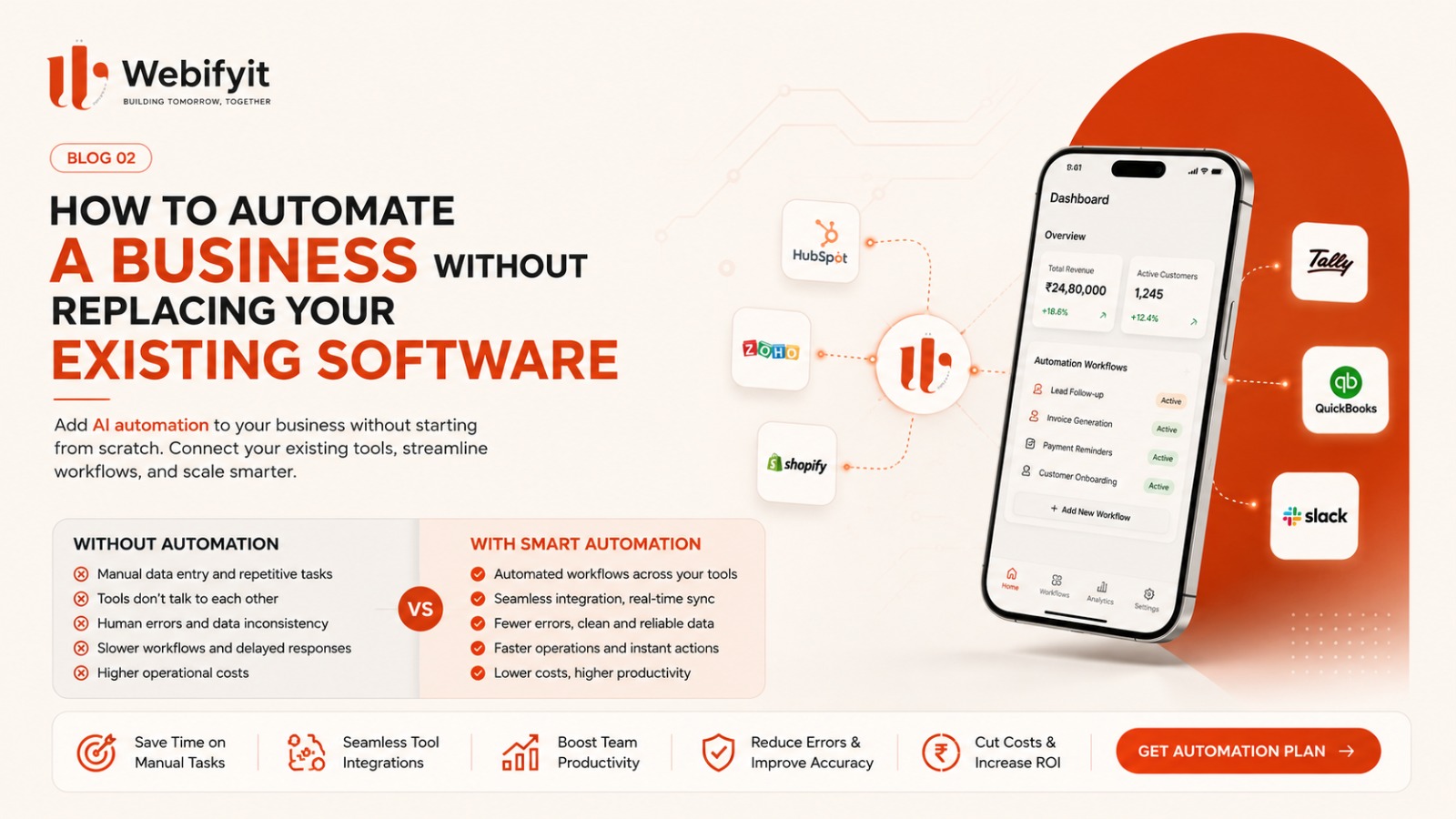
Most companies already have systems.
Maybe:
Tally
Zoho
Salesforce
HubSpot
Shopify
Google Workspace
Excel
custom software
The answer isn't always:
“Let's replace everything.”
Often the better answer is:
“Let's connect what you already have.”
That can mean using APIs, webhooks, databases and automation layers so information can move between systems automatically.
For many businesses, that is a far more realistic AI strategy than buying an entirely new platform.
What should you automate first?
Here's the framework we use.
1. High volume
Does this happen frequently?
If your team performs something 20 times a year, automation probably isn't your first priority.
If it happens 20,000 times a year, pay attention.
2. Repetitive
Does the process follow a reasonably predictable pattern?
If yes, automation becomes interesting.
3. Expensive
Does it consume employee time?
If five people spend two hours every day doing the same task, that adds up very quickly.
4. Revenue-related
This is my favourite category.
Can automation:
respond to leads faster?
recover missed enquiries?
improve follow-up?
reduce abandoned opportunities?
increase repeat business?
Those projects are easier to justify because the connection to revenue is clearer.
5. Measurable
Can you measure what changed?
Before:
6-hour lead response time.
After:
3-minute response time.
Before:
30% of leads receive follow-up.
After:
95%.
That's the kind of project you can actually evaluate.
Don't automate everything at once
This sounds obvious.
It isn't.
A business discovers AI and suddenly wants:
AI chatbot
AI voice agent
AI CRM
AI sales assistant
AI marketing system
AI analytics
AI employee
AI everything.
Please don't.
Start with:
One workflow.
Build it.
Measure it.
Fix it.
Then expand.
For example:
Lead qualification
↓
CRM automation
↓
follow-up
↓
voice
↓
customer support
Now you are building a system around a real need instead of collecting AI features.
What about AI agents?
This is where Blog #1 connects to this article.
An AI agent becomes useful when the workflow requires more than answering a question.
For example:
“Find all new leads from yesterday, check whether they meet our criteria, update the CRM, send follow-up messages, and alert the sales team about the high-value ones.”
That's much closer to an agentic workflow.
But even then, you need boundaries.
You should define:
What can the AI do?
What data can it access?
What actions can it take?
When should it ask a human?
What happens if it is uncertain?
What gets logged?
This is where good engineering matters.
AI should not replace people just because it can
There are tasks where humans are still better.
Especially when there is:
high customer sensitivity
complex negotiation
legal risk
medical risk
financial decisions
unusual situations
brand-sensitive communication
A good system doesn't try to remove the human from every workflow.
It puts the human where the human adds the most value.
A simple way to think about AI automation
Think of your business as a collection of workflows.
For example:
Sales
Lead → Qualification → Follow-up → Meeting → Proposal
Customer support
Question → Answer → Escalation → Resolution
Operations
Order → Processing → Approval → Dispatch
Finance
Invoice → Verification → Approval → Payment
Recruitment
Application → Screening → Interview → Follow-up
Now ask:
Which step is slow, repetitive or frequently missed?
That's where your first automation should go.
What AI automation could look like in different industries
Manufacturing
Lead qualification Quotation support Inventory alerts Production reporting Customer updates Voice enquiries
Real estate
Lead qualification Property matching WhatsApp follow-up Appointment scheduling Lead scoring
Recruitment
Candidate screening Interview scheduling CRM updates Candidate follow-up
E-commerce
Customer support Order updates Returns Product discovery Abandoned-cart follow-up
Hospitality
Booking assistance Customer support Review requests Order handling Upselling
Professional services
Lead qualification Meeting summaries CRM updates Proposal workflows Client follow-up
The technology changes.
The principle doesn't:
Find repetitive work → connect the systems → automate the right part → measure the result.
What should a business measure?
Don't measure:
“We deployed an AI agent.”
Measure:
response time
hours saved
leads recovered
conversion rate
tickets resolved
follow-up rate
cost per interaction
human escalations
error rate
revenue influenced
That's the difference between buying technology and buying an outcome.
The cheapest AI project is often the one you don't build
This is something more companies should hear.
Sometimes a client tells us:
“We need a custom AI platform.”
Then we look at the workflow.
And the actual solution is:
one API
one automation
one dashboard
That's it.
There is no prize for building the biggest system.
The goal is to solve the business problem with the smallest reliable system that can do the job.
A practical 30-day way to start
You don't need a six-month AI transformation project.
Try this.
Week 1
Write down every repetitive process your team performs.
Don't worry about technology.
Just document the work.
Week 2
Choose one process where:
volume is high
the process is repetitive
the business impact is clear
Week 3
Build a small proof of concept.
Don't automate everything.
Week 4
Measure the result.
Did it save time?
Did it improve response?
Did it recover leads?
Did people actually use it?
If yes:
expand.
If no:
change it or stop.
That is much healthier than launching another AI experiment every month.
The biggest AI opportunity isn't another AI tool
I think the next wave of business AI will be much less about:
“Which chatbot should we buy?”
and much more about:
“How do we make our existing business systems work better?”
AI becomes genuinely useful when it can work with:
your data
your processes
your people
your software
your customers
That is where the real engineering begins.
How Webifyit approaches it
At Webifyit, we don't start with:
“Let's add AI.”
We start with:
“Show us the workflow.”
Then we look for:
Where time is being lost.
Where information is being copied.
Where leads are being missed.
Where employees repeat the same task.
Where customers are waiting.
Where different systems don't talk to each other.
Then we decide whether the right answer is:
AI
normal automation
custom software
an API integration
or a combination.
That is usually a better way to build than forcing AI into a problem just because AI is popular.
Final thought
You don't need to make your business “AI-first.”
You need to make it problem-first.
Find the work that should not require so much manual effort.
Then use AI where it actually helps.
Start with one workflow.
Measure it.
Improve it.
Then scale it.
That's how AI becomes part of a business instead of becoming another subscription nobody uses.
Want to find the best workflow to automate?
Webifyit can review your existing process and identify practical opportunities for AI, automation, integrations or custom software.
Get a free workflow assessment →