
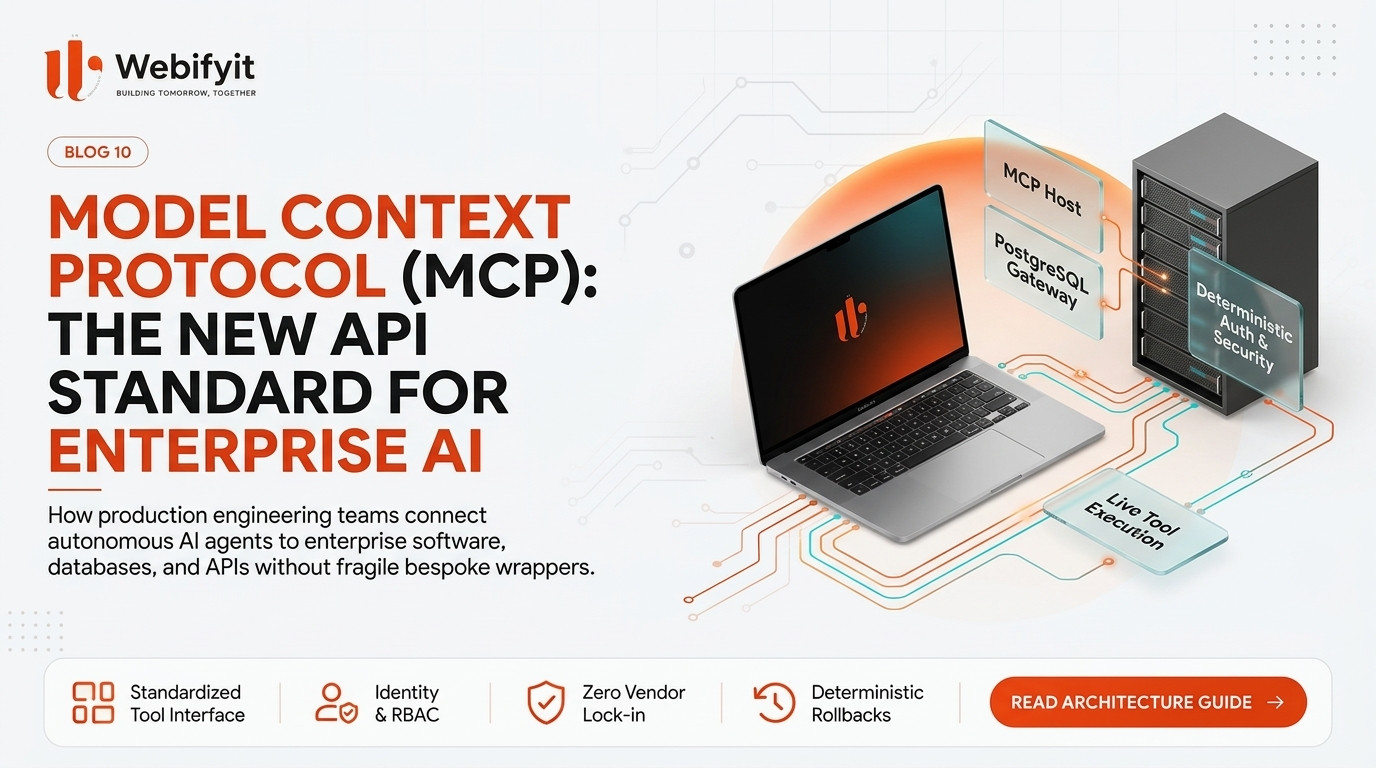
Model Context Protocol (MCP) in Production: How Enterprises Connect AI Agents to Core Software Without Fragile APIs
If you have spent any time over the past eighteen months trying to integrate artificial intelligence models with internal enterprise systems, you have encountered the custom integration trap:
"To let our AI agent query our customer database, we had to write a bespoke JSON function caller. Then we had to write another wrapper for our Jira instance. When we tested a new model checkpoint last month, half of the function signatures broke, and our engineers spent three weeks rewriting API adapters."
This is the reality of early-stage enterprise AI development.
Every time an engineering team attempts to connect a language model to a database, a cloud storage bucket, an internal ERP, or a CRM like Salesforce, they write bespoke glue code.
At first, connecting three tools with custom Python or TypeScript wrappers feels manageable.
Then comes the operational scale-up.
Within six months, the engineering team finds itself managing an unmaintainable matrix:
- Four different model providers each expecting slightly different tool-calling schemas and prompt conventions.
- Dozens of internal microservices exposing fragmented REST, GraphQL, and gRPC endpoints with inconsistent authentication headers.
- Zero standardized logging, access controls, or audit trails when an autonomous agent executes a data query or triggers a financial refund.
- Massive engineering lock-in: switching from one foundation model to a faster or more cost-effective alternative requires rewriting dozens of brittle integration layers.
In late 2024 and throughout 2026, the artificial intelligence industry reached a turning point with the emergence of the Model Context Protocol (MCP).
Originally open-sourced by Anthropic and rapidly adopted as the industry-wide consensus standard, MCP is doing for AI agents what HTTP did for the World Wide Web, and what ODBC and JDBC did for enterprise databases thirty years ago.
In this comprehensive architectural guide, we explain what Model Context Protocol actually is, why bespoke API wrappers fail, and how forward-thinking enterprises and software agencies are deploying production MCP architectures to connect autonomous agents to core business systems safely.
The Fundamental Shift: Why Point-to-Point AI Integrations Fail
To understand why Model Context Protocol is revolutionizing enterprise software, consider how software applications historically connected to databases.
In the early days of client-server computing, every database vendor (Oracle, IBM, Sybase, Microsoft) had its own proprietary communication protocol. If a company wanted to switch databases or build software that supported multiple data stores, developers had to rewrite every query and connection driver from scratch.
The software industry solved this bottleneck by introducing universal interface layers like ODBC (Open Database Connectivity) and SQL standards. Applications simply talked to the standard interface, and the database driver handled the rest.
Point-to-point AI integrations suffer from the exact same structural vulnerability:
1. The N-by-M Integration Matrix
If your enterprise uses five foundation models (across text, code, voice, and vision) and connects them to twenty internal data sources and software tools, your team has to maintain up to one hundred custom connection points.
Every time an API schema changes or a model updates its function calling behavior, integrations break unpredictably.
2. Context Window Pollution
When connecting models to traditional enterprise APIs, developers frequently feed entire raw JSON payloads into the model's context window.
Enterprise REST APIs were engineered for human developers and programmatic frontends, not probabilistic reasoning engines. Dumping dense, nested payloads filled with metadata degrades reasoning accuracy, creates semantic confusion, and incinerates token budgets.
3. The Security and Audit Void
Traditional REST APIs rely on long-lived API keys or user session cookies. When an autonomous agent is granted a raw API key, it operates with binary permissions: either it can do everything, or it can do nothing.
Without a standardized protocol layer that enforces per-session identity scoping, least-privilege tool isolation, and granular action logging, enterprise compliance and infosec teams cannot approve autonomous agent deployments for production.
Model Context Protocol eliminates this chaos by creating a clean, standardized abstraction layer between models and enterprise capabilities.
What is Model Context Protocol (MCP)?
At its core, Model Context Protocol is an open standard protocol that enables AI models (hosts and clients) to securely access and interact with data sources, software tools, and digital environments (servers) through a standardized, stateful architecture.
Instead of hardcoding custom tool definitions inside system prompts or proprietary SDKs, MCP defines a client-server architecture:
- MCP Hosts: The applications where the AI interacts with the user or orchestrates workflows (such as an enterprise AI workspace, developer IDE, customer service console, or autonomous background agent).
- MCP Clients: Protocol clients embedded within the host application that manage connections, negotiate capabilities, and pass context between the model and external servers.
- MCP Servers: Lightweight, specialized software services that expose specific internal capabilities, databases, filesystems, or software APIs to the AI client through standardized protocol messages.
Because the protocol is open and vendor-agnostic, any compliant AI host can connect to any compliant MCP server without custom integration code.
The 3 Core Primitives of MCP: Resources, Prompts, and Tools
MCP standardizes interaction into three foundational primitives. Understanding these primitives is essential for software architects designing production systems:
1. Resources (Passive Contextual Data)
Resources are structured data feeds that the MCP server exposes to the AI client. Think of resources as read-only documents, database tables, log streams, or file trees.
Unlike traditional tool calls that require active execution, resources provide background context that the AI model can read and monitor.
Examples of enterprise MCP resources include:
- Customer profile records retrieved from a CRM.
- Live operational logs from an AWS CloudWatch or Datadog stream.
- Git repository file trees and architectural blueprints.
- Financial ledger statements during an invoice reconciliation workflow.
Resources can be static (like a PDF policy manual) or dynamic (like a live telemetry feed that updates in real time).
2. Prompts (Standardized Workflow Templates)
Prompts in MCP are not simple text snippets; they are versioned, server-managed interaction templates that guide the AI through complex multi-step operational tasks.
Instead of hardcoding long, brittle prompts inside client applications, the MCP server itself defines the optimal prompt structure for interacting with its data.
For example, an internal billing MCP server might provide an Audit Invoice prompt. When invoked, the server supplies the model with the exact instructions, required validation steps, and domain heuristics necessary to audit billing discrepancies according to corporate financial guidelines.
3. Tools (Active Business Actions)
Tools represent executable functions that enable the AI agent to take action in external systems.
Every tool exposed by an MCP server includes a standardized name, human-readable description, and explicit JSON Schema defining its required input parameters.
Examples of enterprise MCP tools include:
- Executing a parameterized SQL query against a PostgreSQL database.
- Generating and dispatching an authorized customer payment link via Stripe.
- Creating a priority engineering incident ticket in Jira or Linear.
- Triggering an automated data migration pipeline in an enterprise cloud environment.
Because tools are exposed via standardized schema contracts, the foundation model can autonomously plan and invoke actions with maximum precision and zero guesswork.
Architecture Comparison: Bespoke API Integration vs. Production MCP
To understand the immense operational leap that MCP provides, compare how enterprise teams built AI integrations previously versus how modern engineering studios architect with MCP:
| Architectural Dimension | Brittle Custom API Integration | Production Model Context Protocol (MCP) |
|---|---|---|
| Interface Standard | Proprietary, ad-hoc JSON schemas per model SDK | Open, vendor-neutral protocol standard (MCP) |
| Model Portability | Locked into specific model API calling formats | Total portability; swap models without changing server code |
| Data Exposure | Dumps raw REST API payloads into context windows | Sanitized Resources filtered to exact semantic context |
| Tool Execution | Hardcoded function calling in application layer | Decoupled MCP servers with dynamic capability negotiation |
| Security Boundary | Broad administrative API keys shared with agents | Scoped identity delegation, RBAC, and gateway authorization |
| Maintenance Burden | Exponential growth as new tools and models are added | Linear and isolated; build an MCP server once, use everywhere |
| Observability | Fragmented console logs across scattered services | Centralized protocol tracing for every resource read and tool action |
| Enterprise Scale | Fragile prototypes that break under version drift | Resilient, modular architecture ready for enterprise production |
The 4-Tier Production MCP Architecture for Enterprises
Moving Model Context Protocol from a developer prototype to an enterprise-grade production environment requires a multi-tier architectural blueprint. At Webifyit, we structure production MCP deployments across four resilient layers:
Tier 1: The Secure Gateway and Reverse Proxy
Enterprise MCP servers should never be exposed directly to public networks or untrusted clients. All communication must pass through an enterprise Gateway Layer.
The gateway performs four vital operational duties:
- Mutual TLS and Authentication: Verifies client identity and validates scoped cryptographic access tokens.
- Temporal Rate Limiting: Prevents malfunctioning autonomous agent reasoning loops from overwhelming backend databases with runaway queries.
- Schema Ingress Validation: Inspects tool parameters before forwarding requests to internal services, rejecting malformed calls deterministically.
- Distributed Tracing: Generates unique trace identifiers that link user prompts, intermediate model thoughts, tool calls, and backend executions.
Tier 2: The MCP Server Mesh
Rather than building a single monolithic MCP server, resilient architectures deploy a mesh of micro-servers organized by business domain:
- CRM & Customer Operations Server: Exposes customer lookups, communication logs, and ticket history.
- Financial & Billing Gateway Server: Handles invoice queries, payment verification, and credit calculations.
- DevOps & Infrastructure Server: Manages server metrics, deployment triggers, and error log retrieval.
- Knowledge & Policy Repository Server: Provides vector search, compliance documents, and standard operating procedures.
Because each server is independent, updates to customer operations tools cannot destabilize billing or infrastructure systems.
Tier 3: Deterministic Tool Gateways and Sandboxing
When an AI model invokes an MCP tool, the execution must occur within a strictly bounded sandbox.
For example, if an agent requests to execute a database query, the MCP server does not grant raw SQL administrative access. Instead, it runs the query against an isolated, read-replica database using an unprivileged database role, with hard memory ceilings and execution timeouts.
If the agent requests a write operation (such as modifying an employee record or canceling an order), the MCP server enforces an Idempotency Check and a State Pre-Condition: verifying that the record is in a valid state before applying any modification.
Tier 4: Human Verification Tripwires
True enterprise safety requires that high-consequence business actions cannot be executed autonomously without human confirmation.
Production MCP architectures implement protocol-level verification interrupts:
- When an agent requests a tool execution exceeding a defined risk baseline (e.g. issuing a payment above ₹25,000, deleting customer data, or re-indexing an entire production database), the MCP server suspends the transaction.
- The server returns a status of Pending Human Authorization to the AI host.
- A notification fires to an authorized operator via Slack, Microsoft Teams, or internal admin dashboard.
- Once the human manager clicks Approve, the transaction completes, preserving a complete audit trail of the authorization.
Practical Failure Modes in Production MCP Implementations
While MCP provides immense architectural clarity, engineering teams often stumble on these five subtle production pitfalls:
1. The Giant Context Dump Trap
Just because an MCP server can expose entire database tables as resources does not mean it should. Exposing massive resource files floods the model's context window, inflating latency and inducing hallucinated tool calls. Servers must implement semantic filtering, pagination, and compact markdown formatting for all resource payloads.
2. Ignoring Protocol Timeouts
Foundation models often take five to fifteen seconds to complete complex reasoning steps before returning a tool call. If your MCP client or server uses standard two-second HTTP timeouts, connections will drop during heavy inference cycles. Tuning keep-alive headers and asynchronous request handling is mandatory.
3. Missing Idempotency on Write Tools
If an autonomous agent calls an MCP tool to process an invoice and the network connection experiences a momentary hiccup, the agent's natural behavior is to retry. Without strict idempotency keys generated for every unique transaction, duplicate records and repeated charges will occur.
4. Over-Permissive System Prompts as "Security"
Never rely on system prompts like "Only run read queries, do not modify data" to secure an MCP server. Prompts can be bypassed via prompt injection or semantic confusion. Security must always be enforced at the protocol and database permission layer.
5. Transport Layer Misconfigurations
MCP supports multiple transport mechanisms, including Standard Input/Output (stdio) for local processes and Server-Sent Events (SSE) over HTTP for distributed cloud environments. Attempting to use stdio across distributed microservices introduces severe concurrency and state management bottlenecks. Cloud production deployments must utilize SSE with authenticated reverse proxies.
Action Checklist: Production MCP Readiness
Before deploying an enterprise AI agent powered by Model Context Protocol, evaluate your architecture against this checklist:
- Vendor-Agnostic Schema Design: Are all tools defined with pure JSON Schema contracts independent of any single model provider's proprietary format?
- Scoped Identity & Token Delegation: Does each agent session carry a short-lived token with least-privilege permissions mapped to the authenticated user?
- Payload Sanitization & Compression: Are database and API responses stripped of technical bloat before being exposed as MCP resources?
- Idempotent Tool Execution: Do all state-modifying tools enforce unique transaction keys to prevent duplicate execution during retries?
- Execution Ceilings & Rate Limits: Are hard limits set on tool invocation velocity and token consumption per agent session?
- Centralized Protocol Observability: Is every resource access, prompt initialization, and tool execution tracked in an auditable telemetry pipeline?
- Deterministic Human-in-the-Loop Intercepts: Do high-risk or financial tool calls automatically trigger human authorization workflows before execution?
Frequently Asked Questions
What is the difference between Model Context Protocol (MCP) and standard REST APIs?
REST APIs are built for human developers and programmatic applications. They require explicit endpoints, fixed authentication headers, and rigid response schemas. MCP is designed specifically for AI models: it standardizes how models discover tools dynamically, how contextual data is streamed as resources, and how stateful agent workflows are governed across different foundation models.
Does adopting MCP lock our business into Anthropic models?
No. While Anthropic created the initial specification and open-sourced it, Model Context Protocol is an open standard. It is designed to work across any LLM provider, including OpenAI, Google Gemini, open-source local models, and multi-model routing architectures. In fact, MCP protects you against vendor lock-in by decoupling your tools from any single model provider.
Can we convert our existing enterprise REST APIs into MCP servers?
Yes. In fact, that is the standard enterprise adoption path. Instead of rebuilding your internal software, you build lightweight MCP server adapters that wrap your existing REST, GraphQL, or database services, translating protocol tool calls into verified internal API requests with built-in security and rate-limiting.
How does MCP handle multi-tenant enterprise data privacy?
Production MCP servers enforce tenant-level isolation through contextual authentication tokens. When an agent initiates a session on behalf of User A at Organization X, the MCP client passes scoped credentials. The MCP server ensures that all resource lookups and tool actions are strictly confined to Organization X's database namespace.
The Bottom Line
The era of fragile, point-to-point AI integrations and custom API glue code is coming to an end.
Building dependable enterprise AI systems requires standardizing the connection between intelligence and capability. Model Context Protocol provides that foundation.
By adopting MCP, enterprises decouple their business systems from foundation model churn, protect their data with rigorous security boundaries, and build autonomous agents that perform reliably in production.
Planning to build or modernize your enterprise AI architecture with production-grade MCP servers?
Schedule an Architecture Consultation with Webifyit
Published by the Webifyit Engineering Team | Webifyit