Why 2026 Is the Death of the "Chatbot": The Rise of Background Workflows That Actually Do the Work
If you run a business, you have almost certainly tried an AI chatbot.
Between 2023 and 2025, every software company on the planet promised that putting a little chat bubble on your website would transform your company. The pitch was always the same:
"Just install our widget! The AI will answer customer questions 24/7, qualify leads while you sleep, and double your sales without hiring anyone!"
So thousands of businesses signed up for monthly subscriptions, pasted the embed code onto their homepages, and waited for the magic to happen.
Fast-forward to 2026: most of those chat bubbles are ghost towns.
Customers do not want to chat with a robotic bubble. When someone visits your website with an urgent problem or a specific inquiry, the last thing they want is to type three paragraphs into a floating pop-up window only to receive a generic summary that tells them to email support anyway.
Even worse, business owners quickly realized the brutal truth:
A chatbot only talks. It doesn't actually do any work.
If a customer asks a chatbot for an update on their custom order, the chatbot cannot check your warehouse database. If a client sends an email asking for an invoice revision, the chatbot cannot recalculate the figures in your accounting system. If a supplier sends a delivery slip on WhatsApp, the chatbot cannot log it into your CRM.
In 2026, the era of the decorative chat bubble is officially over.
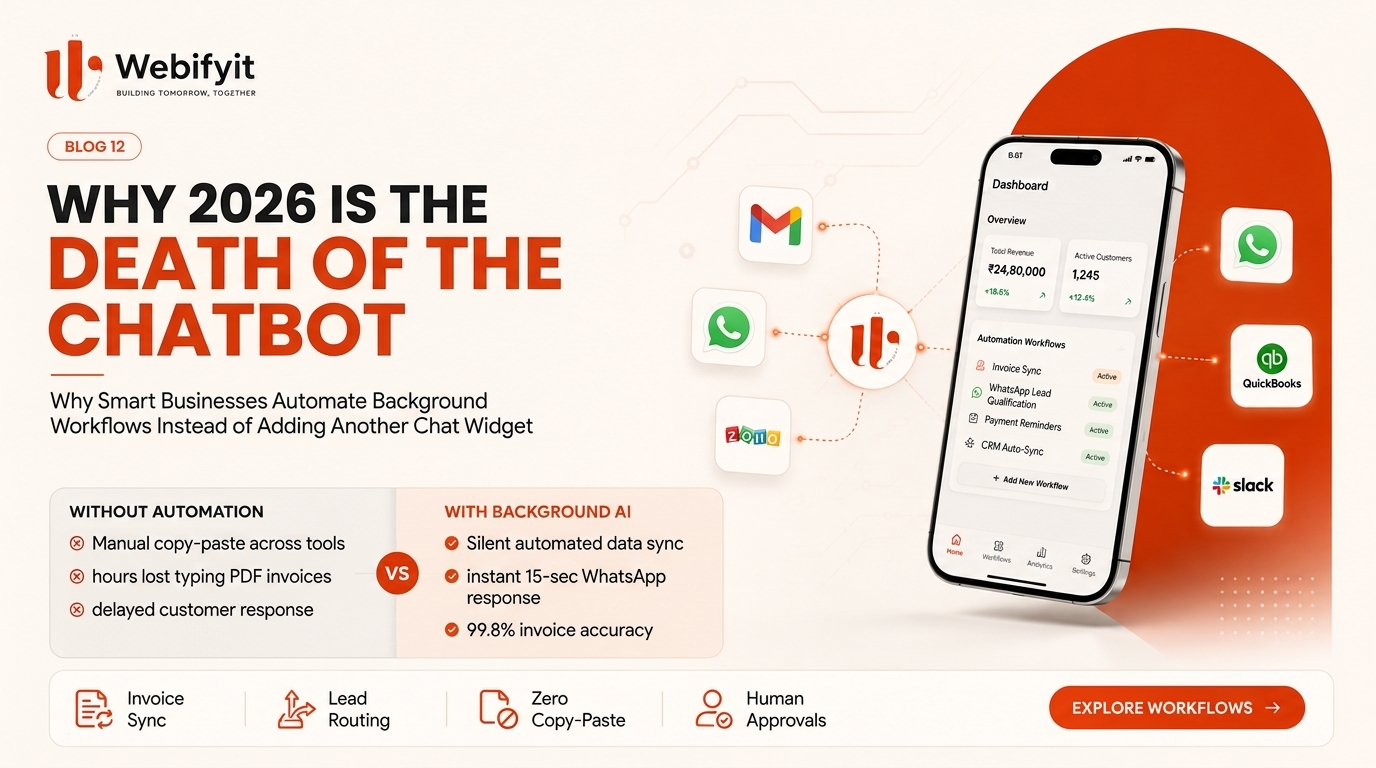
Forward-thinking businesses are no longer building things that talk. Instead, they are deploying silent background AI workflows — systems that work behind the scenes to read documents, synchronize software tools, eliminate manual copy-pasting, and run business operations automatically.
In this guide, we break down why website chatbots failed, what modern background automation actually looks like in plain English, and how your business can automate the "boring middle" to save dozens of hours every week.
The Fundamental Flaw of the Website Chatbot
To understand why businesses are shifting their AI budgets away from chatbots, look at how work actually happens in your company.
When a potential client or existing customer reaches out, they rarely have a generic question like "What are your business hours?" That information is already on your contact page or Google listing.
Instead, real business inquiries look like this:
- "Can you check if order #4819 has shipped yet?"
- "Here is our vendor contract with revisions. Can you update our pricing tier?"
- "I have attached my company balance sheet. What size credit line do we qualify for?"
- "We need a quote for 500 custom units delivered to Bangalore by Thursday."
Notice the pattern: none of these questions can be answered with conversational small talk alone.
To answer any of these requests, a human employee has to:
- Read the message or open the attachment.
- Open an internal system (CRM, spreadsheet, ERP, or accounting software).
- Search for the relevant customer history or inventory availability.
- Perform a calculation or verify business rules.
- Draft an accurate response and update two or three internal records.
A website chat bubble cannot do any of those steps out of the box. At best, it collects the visitor's name and phone number and sends an email to your sales team — which is exactly what a simple contact form did in 1999, but with a much higher monthly software fee.
The "Boring Middle": Where Your Business Actually Loses Money
When business owners examine their operational payroll, they often discover something shocking:
Up to 40% of their team's working day is spent on manual data transfer.
We call this the boring middle:
- An email arrives with an attached PDF invoice. An employee opens the PDF, reads the numbers, opens QuickBooks or Zoho Books, and types in the line items one by one.
- A customer confirms a booking or order on WhatsApp. An employee copies the phone number and address, switches to Google Sheets or HubSpot, and pastes the details.
- A project manager updates a milestone. They have to email the client, update the project tracking board, and remind the billing team to generate a milestone invoice.
Every time a human has to copy text from one window and paste it into another window, three things happen:
- Time is wasted: A task that should take half a second takes seven minutes.
- Errors happen: A misspelled email address, an incorrect GST number, or a misplaced decimal point costs thousands of rupees to fix.
- Response times drag: Customers wait hours or days for routine confirmations that should be instantaneous.
This is where artificial intelligence provides transformative value — not as a conversational toy on your homepage, but as a tireless, ultra-fast background engine that connects your existing tools together.
What Does a Background AI Workflow Actually Look Like?
Let us look at three real-world examples of background AI workflows that businesses are running right now in 2026. None of these involve a chat bubble, yet all of them save hundreds of hours every month.
Example 1: The Automated Invoice and Receipt Reconciliation Engine
The Old Manual Way:
Vendors email PDF invoices to accounts@yourcompany.com. At the end of the month, your accountant or admin sits down with 150 PDFs, manually opens each one, copies the vendor name, invoice date, tax amount, and bank details, and enters them into accounting software. It takes three full days, and three invoices are inevitably missed.
The 2026 Background AI Workflow:
- An email arrives with a PDF or image attachment.
- An automated AI background worker reads the document instantly, understanding messy vendor layouts, handwritten notes, and scanned receipts.
- It extracts the vendor name, invoice number, due date, subtotal, and tax line items with 99.8% precision.
- It automatically matches the invoice against the purchase order in your database.
- If the figures match, it creates the draft bill in your accounting software and schedules the payment.
- If there is a discrepancy (for example, the vendor charged 10% more than agreed), it flags the invoice and sends a WhatsApp or Slack alert to the business owner: "Vendor ABC billed ₹45,000 against approved PO of ₹40,000. Review discrepancy?"
Total human time spent: Under 30 seconds for review instead of three days of manual typing.
Example 2: The Instant WhatsApp Lead Qualification and CRM Sync
The Old Manual Way: A prospective client clicks a Meta ad or website link and messages your company on WhatsApp: "Hi, I need commercial interior design for a 3,000 sq ft office in Cyber City."
The message sits unread because your sales reps are in meetings. Four hours later, a rep replies asking for their budget. By then, the client has already contacted two competitors.
The 2026 Background AI Workflow:
- The WhatsApp message arrives.
- An intelligent background workflow immediately understands the project scope, location, and property type.
- It instantly checks your company's service availability and pricing guidelines.
- Within 15 seconds, it replies warmly with tailored questions: "Hello! We have completed several office fit-outs in Cyber City. To prepare an accurate initial estimate, are you looking for bare-shell furnishing or a complete turnkey renovation?"
- Once the lead provides the details, the AI automatically creates a new deal in your CRM, attaches the full conversation summary, assigns the lead to the senior project manager, and creates a calendar invite.
Total human time spent: Zero minutes until the sales call is already scheduled.
Example 3: The 24/7 Operations and Customer Ticket Dispatcher
The Old Manual Way: Customers submit support tickets or emails with vague descriptions: "My account is locked," or "I need to add three new users to our team plan." A support manager spends their entire morning reading tickets, guessing the category, and forwarding them to IT, Billing, or Customer Success.
The 2026 Background AI Workflow:
- A customer ticket or email arrives.
- The background AI classifies the intent, priority, and sentiment.
- It checks the customer's subscription tier in your database. High-tier accounts are tagged for urgent priority.
- If the request is routine (such as a password reset or sending a previous invoice), the workflow performs the action securely and sends the confirmation.
- If the request requires human expertise, it drafts a comprehensive briefing for the assigned specialist with relevant customer history already summarized.
Comparison: Website Chatbot vs. Background AI Workflow
| Feature | Traditional Website Chatbot | Background AI Workflow |
|---|---|---|
| Where It Lives | Floating pop-up bubble on your website | Silently connected to your email, WhatsApp, CRM, and databases |
| Primary Function | Talks to website visitors | Performs actual operational work and moves data |
| Customer Friction | High (visitors must stop and type) | Zero (works with the channels customers already use) |
| Business System Access | Rarely connected to real internal systems | Fully integrated with your accounting, CRM, and inventory |
| Error Rate | Prone to conversational hallucinations | Governed by strict business rules and deterministic checks |
| Human Supervision | Hard to monitor live conversations | 1-click approval prompts for sensitive actions |
| Real Business ROI | Low (mostly vanity lead capture) | Massive (saves 15–30 staff hours every week) |
The Three Rules for Building AI That Actually Delivers ROI
If you want your company to invest in artificial intelligence without burning money on unused subscriptions, follow these three foundational engineering rules:
1. Solve an Existing Workflow, Don't Invent a New One
Do not force your customers or your team to learn a new interface or log into a new dashboard.
If your team lives in Gmail, build your AI to process emails. If your customers communicate through WhatsApp, build your automations on WhatsApp. The best software is invisible — it does the heavy lifting where the work is already happening.
2. Never Let AI Take Irreversible Actions Without a Tripwire
One of the biggest fears business owners have is that an AI system will make an embarrassing or costly mistake.
The solution is simple: human-in-the-loop tripwires.
- Reading an invoice, extracting data, and creating a draft: 100% autonomous.
- Sending ₹5,00,000 from your company bank account: Mandatory 1-click human approval via phone or notification.
- Generating a customized contract draft: Autonomous.
- Sending the signed contract to the client: Human review first.
By separating preparation from execution, you get the speed of AI with the safety of human oversight.
3. Own Your Infrastructure
Off-the-shelf SaaS chatbot tools charge you per conversation, trap your customer history inside their proprietary servers, and break whenever their platform updates.
Custom background workflows built directly for your company belong to you. They use standard cloud architecture, scale effortlessly as your business grows, and integrate cleanly with whatever software you decide to use in five years.
How Webifyit Helps Companies Automate the Boring Middle
At Webifyit, we don't sell generic chatbot templates or empty AI promises.
We are an engineering studio that builds custom, reliable software and AI automation for growing businesses and modern digital agencies:
- Workflow Audits: We examine your daily operations to identify the exact copy-paste bottlenecks costing your team time and money.
- Custom Integration Engineering: We connect your email, WhatsApp, CRM, inventory, and accounting software into automated, synchronized pipelines.
- Hardened Guardrails: We implement strict data validation, privacy controls, and human approval tripwires so your operations remain 100% secure and accurate.
- End-to-End Delivery: We build it, deploy it, and support it — so you can focus on growing your business while the machines do the busywork.
Frequently Asked Questions
Does automating background workflows mean we have to replace our existing software?
No. In fact, the entire purpose of a background workflow is to connect the software tools you already use (like Google Workspace, Slack, Zoho, QuickBooks, Salesforce, or WhatsApp) so you never have to manually copy data between them.
Is our company data safe when processed by background AI?
Yes. Professional workflows use dedicated enterprise APIs with strict zero-data-retention agreements. Your customer records, financials, and internal communications are never used to train public foundation models and remain completely private.
How long does it take to implement a background AI workflow?
A focused, single-purpose workflow — such as automated invoice extraction or WhatsApp lead qualification — typically takes between one to two weeks to design, test, and deploy into live production.
The Bottom Line
The novelty of artificial intelligence has passed. In 2026, nobody is impressed by a website chatbot that recites generic marketing text.
The companies winning today are those that use AI where it matters most: eliminating friction, speeding up operations, and freeing human talent to focus on customer relationships and revenue growth.
Stop paying for chatbots that only talk. Start building background workflows that actually do the work.
Ready to automate your company's repetitive manual workflows and free up 20+ hours a week?
Explore Custom AI Workflows with Webifyit
Published by Atharv K. | Webifyit