
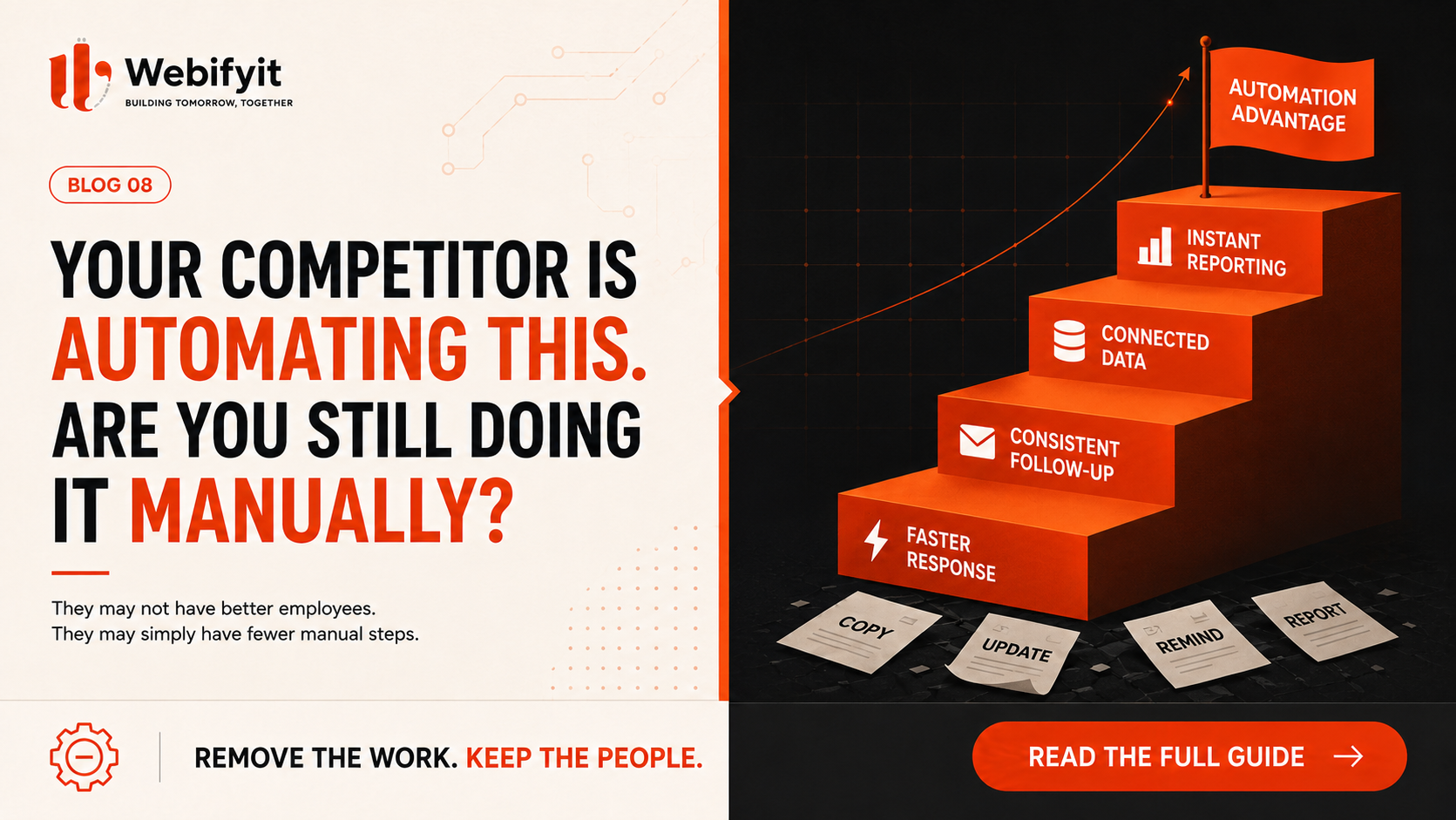
Your competitor may not have better employees than you.
They may simply have fewer manual steps.
While your salesperson is copying leads from WhatsApp into a spreadsheet, another business has a system doing it automatically.
While your team is manually sending follow-ups, another company is triggering them based on what the customer actually did.
While someone is preparing yesterday’s sales report every morning, another owner is opening a dashboard and seeing it instantly.
From the outside, the difference can look small.
Inside the business, it compounds.
Over weeks and months, manual work creates slower responses, missed follow-ups, duplicated data, more mistakes, and employees spending time on work that does not really require a person.
And this is where business automation becomes interesting.
The goal is not to replace your team.
The goal is to remove unnecessary work from your team.
The hidden cost of “just five minutes”
Most businesses don't notice manual work because each task looks insignificant.
A salesperson spends five minutes entering a lead.
Then another five minutes updating the CRM.
Another ten minutes preparing a quotation.
Another ten minutes checking whether the customer replied.
Another fifteen minutes sending follow-ups.
None of those tasks seems expensive on its own.
But multiply them by 20 leads.
Then 50 leads.
Then hundreds of customers.
Suddenly, the business has created a full-time job around moving information from one place to another.
This happens everywhere.
A lead comes through Instagram.
Someone copies it into Excel.
Another person assigns it to sales.
The salesperson contacts the customer.
Someone updates the status.
Later, the manager asks for a report.
Someone opens the spreadsheet and starts filtering rows.
The information already existed.
The business just didn't have a system connecting it.
Automation starts with workflows, not AI
This is one of the biggest mistakes businesses make.
They hear about AI and immediately start looking for an AI chatbot, AI agent, or some new AI tool.
But AI is not always the answer.
Sometimes the problem is simply that two systems are not connected.
For example:
New website enquiry → create lead → assign salesperson → send confirmation → remind salesperson after 2 hours → follow up after 2 days
There may not be any complicated AI involved here.
That is workflow automation.
Now imagine the enquiry contains a long message describing a custom requirement.
AI can help classify the enquiry, identify the customer's intent, extract important information and decide which workflow should happen next.
Now you have an AI-powered workflow.
The important question is therefore not:
“Where can we add AI?”
It's:
“Where does information enter our business, and what happens to it next?”
That question usually reveals much more valuable opportunities.
10 business processes worth looking at
1. Lead capture and follow-up
This is one of the easiest places to find wasted time.
Leads may come from your website, WhatsApp, Instagram, email, forms, advertisements or marketplaces.
Instead of leaving them scattered across different channels, automation can bring them into one workflow.
A new lead can automatically be recorded, categorized, assigned and followed up.
A salesperson can still take over when a real conversation is required.
The system simply makes sure opportunities don't disappear.
2. Quotation generation
Many businesses repeatedly create similar quotations.
The customer provides a requirement.
Someone opens an old quotation.
They copy it.
Change a few numbers.
Add a few items.
Export it.
Send it.
This is a perfect candidate for a structured quotation workflow.
Customer information and product details can be pulled into a template automatically.
AI can also help convert an unstructured enquiry into a draft quotation or identify missing information before it reaches the customer.
A person can review it before sending.
That combination is often far more practical than trying to automate everything.
3. Customer support
Your support team should not have to answer the same question 50 times.
Questions about pricing, delivery status, opening hours, order status, onboarding, documentation or basic troubleshooting can often be handled through automated workflows.
More complicated conversations can be escalated to a human.
The result is not “no support team.”
It is a support team spending more time on the problems that actually need them.
4. WhatsApp communication
For many businesses, WhatsApp is effectively part of the sales and support infrastructure.
But conversations are often disconnected from internal systems.
A customer asks for a quotation.
Someone responds manually.
The customer disappears.
Nobody follows up.
Automation can create a more structured process.
A lead can enter the system, receive a response, get assigned to a salesperson, trigger reminders and move through different stages based on what happens next.
The important part is that the conversation becomes part of the workflow rather than remaining an isolated chat.
5. Invoice and payment reminders
Finance teams often spend time chasing payments that follow predictable patterns.
A system can monitor invoice status and trigger appropriate reminders.
For example:
Invoice created → payment due date approaching → reminder → overdue notification → internal alert
The wording, timing and escalation can be controlled by the business.
Employees can step in when the customer gives a specific response or when the situation becomes sensitive.
6. Internal reporting
Someone shouldn't have to spend every morning collecting numbers from five different tools.
Sales data.
Order data.
Marketing data.
Customer data.
Finance data.
Operations data.
When these systems are connected, dashboards can update automatically.
And this is where automation becomes more valuable than simply saving a few minutes.
It improves visibility.
Instead of asking:
“Can someone prepare the report?”
the manager can ask:
“What's happening in the business right now?”
7. Recruitment
Recruitment contains a surprising amount of repetitive work.
Applications arrive.
Someone reviews them.
Information is copied into a spreadsheet.
Candidates are categorized.
Interview messages are sent.
Reminders are sent.
Feedback is collected.
AI can assist with parts of this process by extracting information from resumes, organizing applicants or helping generate communication.
But final hiring decisions should remain with humans.
Automation should reduce administrative work, not blindly make important decisions.
8. Order processing
Think about a business receiving orders from multiple channels.
Website.
WhatsApp.
Salesperson.
Phone.
Marketplace.
Perhaps even a physical store.
When these orders have to be manually entered into internal systems, errors become more likely.
A better workflow can capture the order once and move the information to the systems that need it.
For a growing business, this can become a major operational advantage.
9. Customer onboarding
Many businesses have an onboarding checklist but still manage it manually.
Documents are requested.
Accounts are created.
Welcome emails are sent.
Tasks are assigned.
Training is scheduled.
Someone checks whether everything was completed.
That entire process can become a repeatable workflow.
The customer gets a smoother experience.
The team gets fewer things to remember.
10. Repetitive operational tasks
This is where automation opportunities become almost unlimited.
Inventory alerts.
Approval requests.
Task assignment.
Data synchronization.
Notifications.
Document generation.
Internal reminders.
Status updates.
Daily summaries.
The best opportunities are often not the glamorous ones.
They are the boring tasks everyone has accepted as “that's just how we do it.”
But should you automate everything?
No.
That is another trap.
Automation is useful when the process is reasonably predictable.
If the same input usually produces the same next step, automation is worth investigating.
But if every case requires significant judgment, context and human communication, forcing it into automation can make the business worse.
A useful rule is:
Automate the predictable. Assist with the complicated. Keep humans in control of the important.
For example:
A system can identify a new sales lead.
AI can summarize the requirement.
Automation can assign the lead.
A salesperson can handle the actual negotiation.
That is usually a better design than trying to create a completely autonomous sales process from day one.
The biggest automation mistake: automating a bad process
There is another problem businesses overlook.
Sometimes the workflow itself is broken.
Imagine a company where every quotation requires five approvals because that process was created years ago.
You can automate those five approvals.
But you've still got five unnecessary approvals.
Now the company has a very efficient version of a bad process.
Before automating something, ask:
Do we actually need this step?
Then ask:
Can we simplify it?
Then:
Can we automate it?
That order matters.
A simple three-step workflow that is automated is usually better than a complicated fifteen-step workflow that is automated perfectly.
How to find your first automation opportunity
You don't need to redesign your entire business.
Start with one workflow.
Pick something that happens frequently and causes visible pain.
A simple scoring system can help.
Give each process a score from 1–5 for:
Frequency — How often does it happen?
Time — How much employee time does it consume?
Repetition — Is the process mostly the same every time?
Error risk — How expensive are mistakes?
Business impact — Does it affect sales, customers or cash flow?
A process scoring highly across these areas is usually a strong candidate.
For example:
Manual lead entry
Frequency: 5/5 Time: 4/5 Repetition: 5/5 Error risk: 4/5 Business impact: 5/5
That's a much stronger automation opportunity than a task someone performs once every three months.
You don't always need another software subscription
This is important.
Businesses sometimes respond to an automation problem by buying another tool.
Then another.
Then another.
Now they have a CRM, helpdesk, WhatsApp platform, project management tool, accounting software, AI tool and five dashboards.
But the systems still don't talk to each other.
The problem isn't the lack of software.
It's the lack of integration.
A useful automation layer may simply connect the tools you already use.
For example:
Website → CRM → WhatsApp → salesperson → quotation → payment → reporting
The customer doesn't need to know how the machinery works behind the scenes.
They simply experience faster responses and a smoother process.
Where AI actually makes automation more powerful
Traditional automation is excellent at rules.
If this happens → do that.
AI becomes useful when the input isn't clean or predictable.
For example:
A customer sends a long message describing a requirement.
AI can understand the message and classify it.
A sales email arrives.
AI can summarize the request and extract important details.
A support conversation happens.
AI can identify whether it is a billing issue, technical problem or sales opportunity.
A document arrives.
AI can extract relevant information and pass it into the right workflow.
That is where AI and automation become more powerful together.
Not because AI is magical.
Because it can work with information that previously required a person to interpret manually.
The competitive advantage isn't “using AI”
Ten companies can buy the same AI software.
That doesn't mean they'll get the same results.
The real advantage comes from how the technology is connected to the business.
One company uses AI to write blog posts.
Another uses AI to qualify leads, update the CRM, prepare sales summaries and trigger follow-ups.
Both are “using AI.”
Only one has changed how the business operates.
That distinction will matter more as AI tools become easier for everyone to access.
Tools become commodities.
Good systems become advantages.
Start smaller than you think
You don't need to automate 30 processes next month.
Pick one.
Map the current workflow.
Remove unnecessary steps.
Connect the systems.
Add AI where it genuinely helps.
Keep a human approval point where necessary.
Measure the result.
Then move to the next workflow.
For example, a business might start with:
Website enquiry → AI qualification → CRM entry → salesperson assignment → WhatsApp follow-up
Once that works reliably, the next workflow might be:
Qualified lead → quotation draft → approval → customer delivery → follow-up
Then:
Accepted quotation → order creation → payment tracking → customer updates
One workflow at a time.
That's how automation becomes infrastructure rather than another experiment.
The question to ask this week
Don't ask your team:
“Where can we use AI?”
Ask them:
“What do you do every day that feels completely repetitive?”
Then listen carefully.
The answers might be surprisingly ordinary.
Copying data.
Sending reminders.
Checking spreadsheets.
Creating reports.
Updating statuses.
Searching through emails.
Following up with customers.
Preparing documents.
These are exactly the kinds of tasks worth investigating.
Your competitor doesn't need a better AI model to outperform you.
They may simply have removed ten small manual steps that your business still performs every day.
And those ten steps can add up to a very big difference.
The future of automation isn't about replacing people. It's about giving people fewer things to waste their time on.